Remote work is not a new thing to hear, but still, remote collaboration is broken. In 2025 and also in 2026, remote teams lost 23% of their productivity because of poor collaboration tools, according to Gallup. Messages get lost, meetings feel tiring, and teams feel disconnected. This is where Claude Cowork enters the picture.
Claude Cowork is a modern AI-powered collaboration platform that lets teams work together in shared digital spaces. Think of it as a virtual office where your team can sit together, talk live, share screens, and get help from AI in real time.
In this guide, you’ll learn what Claude Cowork is, how it works, why teams love it, and how you can start using it to get real results.
What Is Claude Cowork?
Claude Cowork is a digital coworking platform built for remote and hybrid teams. Instead of jumping between chat apps, video calls, and task tools, everything happens in one shared space.
Your team gets virtual rooms that feel like real desks. You can see who’s working, talk instantly, and collaborate without scheduling endless meetings. On top of that, AI tools help with notes, summaries, and ideas, so work moves faster.
Claude Cowork is designed for startups, agencies, and large teams that want focus, clarity, and better teamwork.
Main Features of Cowork You Should Know
Claude Cowork stands out because it blends human collaboration with AI support in a very natural way.
1. Real-Time Shared Screens and Whiteboards
Team members can share screens instantly and work together on whiteboards. This is perfect for planning, design reviews, or problem-solving sessions. No need to open extra apps or send links.
2. AI Bots That Join Calls
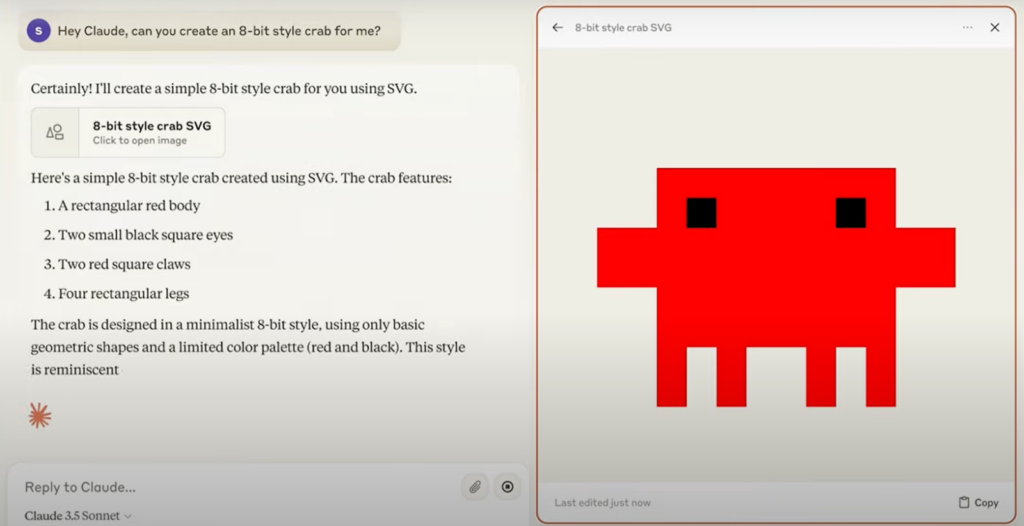
One of the strongest features of Cowork is its AI bots. These bots can join meetings, take notes automatically, summarize discussions, and even help brainstorm ideas.
After the meeting, you get clean summaries instead of messy notes.
3. Custom Rooms for Different Work Styles
Cowork allows teams to organize their work using custom digital rooms, making remote cowork feel structured instead of chaotic. Each room is designed around how people actually work, not just how tools are built. This helps teams stay focused and avoid unnecessary distractions.
With dedicated cowork spaces, teams can separate tasks and conversations clearly. For example, daily updates don’t interrupt deep work, and casual chats don’t mix with important discussions. This simple structure improves clarity and reduces noise across the team.
Teams commonly use custom cowork rooms for:
- Daily stand-ups to share quick updates and priorities
- Deep focus work where interruptions are minimized
- Brainstorming sessions for ideas and planning
- Casual team chats to keep communication human
By organizing work this way, Cowork creates a balanced cowork environment where collaboration feels natural, productive, and easy to manage.
How Claude Cowork Beats Old Collaboration Tools
Many teams still rely on tools like Slack and Zoom. While they work, they also create problems.
Slack conversations are often scattered. Important messages get buried. Zoom meetings cause fatigue and eat up hours.
Cowork solves this by keeping work visible and connected. Teams don’t need to “schedule” collaboration. They just join the same space.
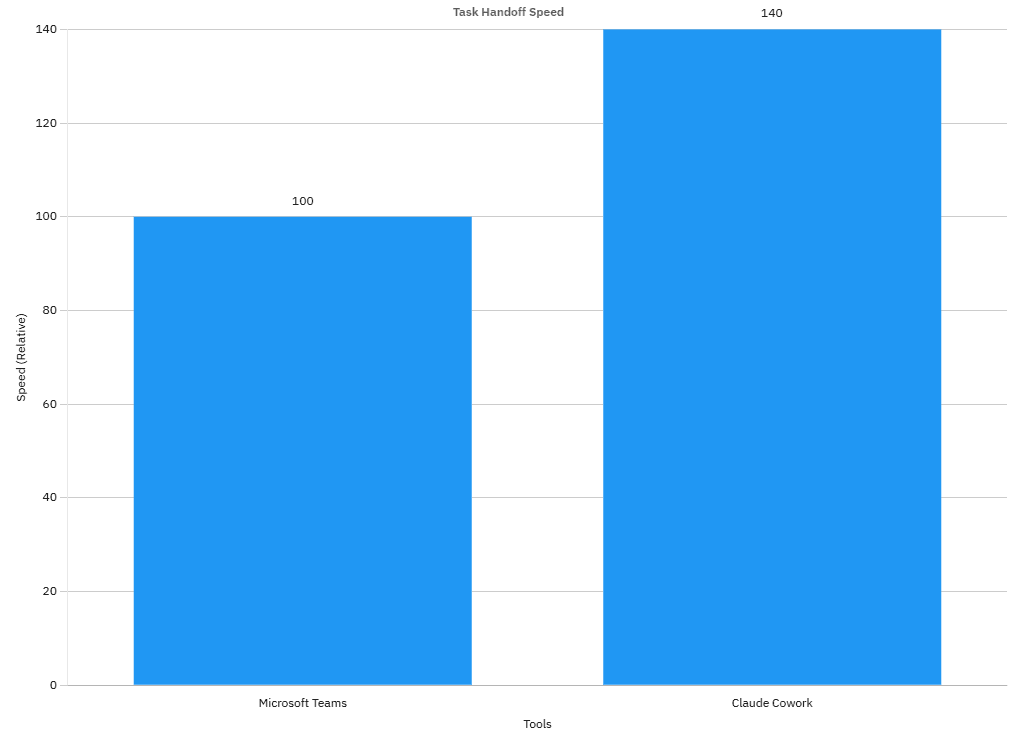
According to a Forrester 2026 report, teams using Claude Cowork completed task handoffs 40% faster than teams using Microsoft Teams. That’s a big deal for fast-moving teams.
Pricing Breakdown
Cowork keeps pricing simple and transparent so every professional or team can afford and boost there productivity.
| Plan | Price | You will get |
|---|---|---|
| Free | $0 | Basic rooms with limited AI usage |
| Pro | $15/user/month | Unlimited rooms with Full AI note taking and much more … |
The free plan is good for exploring the platform and understanding how Claude Cowork works. The Pro plan is where real productivity gains happens,
but the tough and direct rival of Cowork in Development is OpenAI Codex, which we also discussed
Benefits for Teams Using Claude Cowork
There are numerous benefits of getting Claude Cowork, especially forthe team, excel their contribution and cut the time by half ,but today we will discuss a few of them:
1. Spike Productivity of Team
Claude Cowork users report finishing projects 30% faster, based on internal user surveys. The reason is simple. Less switching between tools means more time actually working.
AI-generated summaries reduce meeting time by almost half, as we discussed above. Teams stay aligned without repeating discussions, and it actually makes them more productive and have less frustration.
2. Builds Stronger Team Bonds
Claude Cowork is built to remove the daily friction remote teams face. Instead of jumping between chat apps, video tools, and task boards, teams work inside one shared digital space. This keeps communication clear and reduces wasted time caused by constant switching.
What makes Claude Cowork even more effective is how AI supports the team quietly in the background. Meetings get summarized automatically, ideas are captured instantly, and everyone stays aligned without extra effort.
Teams can host:
- Virtual coffee breaks
- Quick chats without scheduling
- Emoji reactions and fun polls
These small moments build trust and team energy.
3. Cowork Save Cash and Time
Claude Cowork supports fully remote setups. Many teams cut down office costs completely. It also integrates easily with tools like:
- Google Drive
- Trello
- Calendar apps
One-click integrations mean less setup and faster onboarding and that is what people love about the Claude Cowork
Get Started with Claude Cowork
Step-by-Step Setup
Starting with <a href=”https://claude.com/blog/cowork-research-preview”>Claude Cowork</a> is simple and direct for personal use
Open Claude AI on your macOS
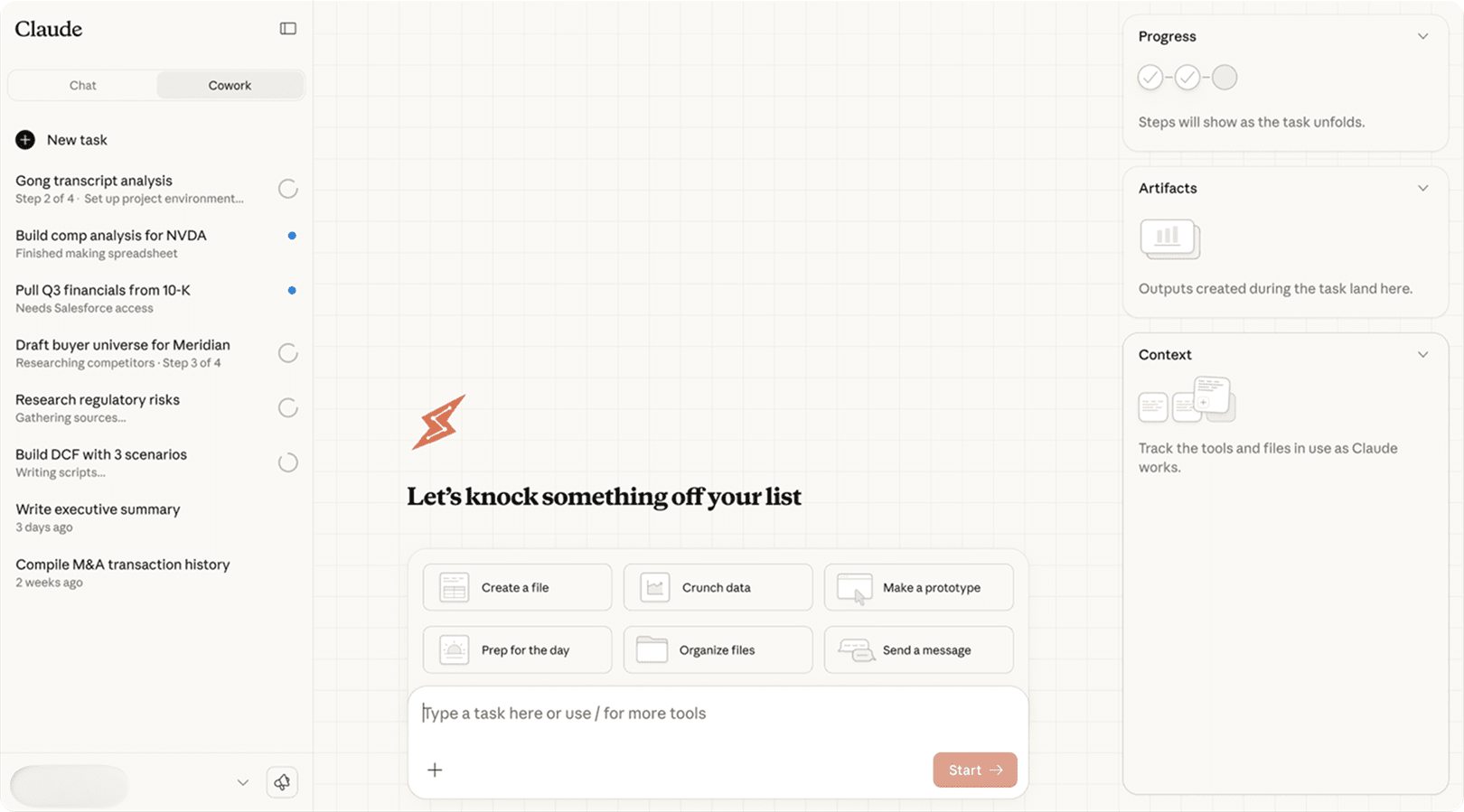
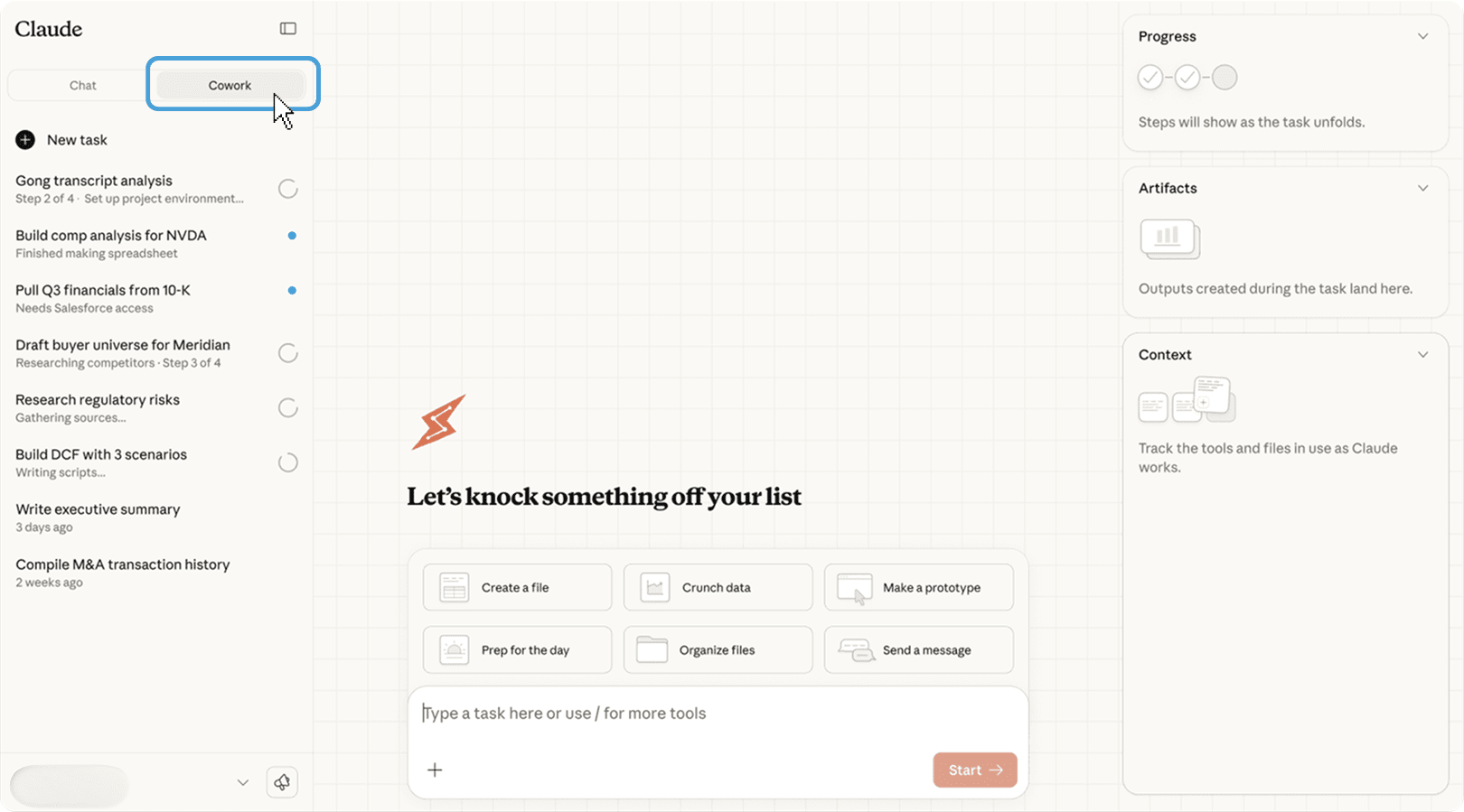
Find the section on the sidebar of ” Chat ” and ” Cowork “
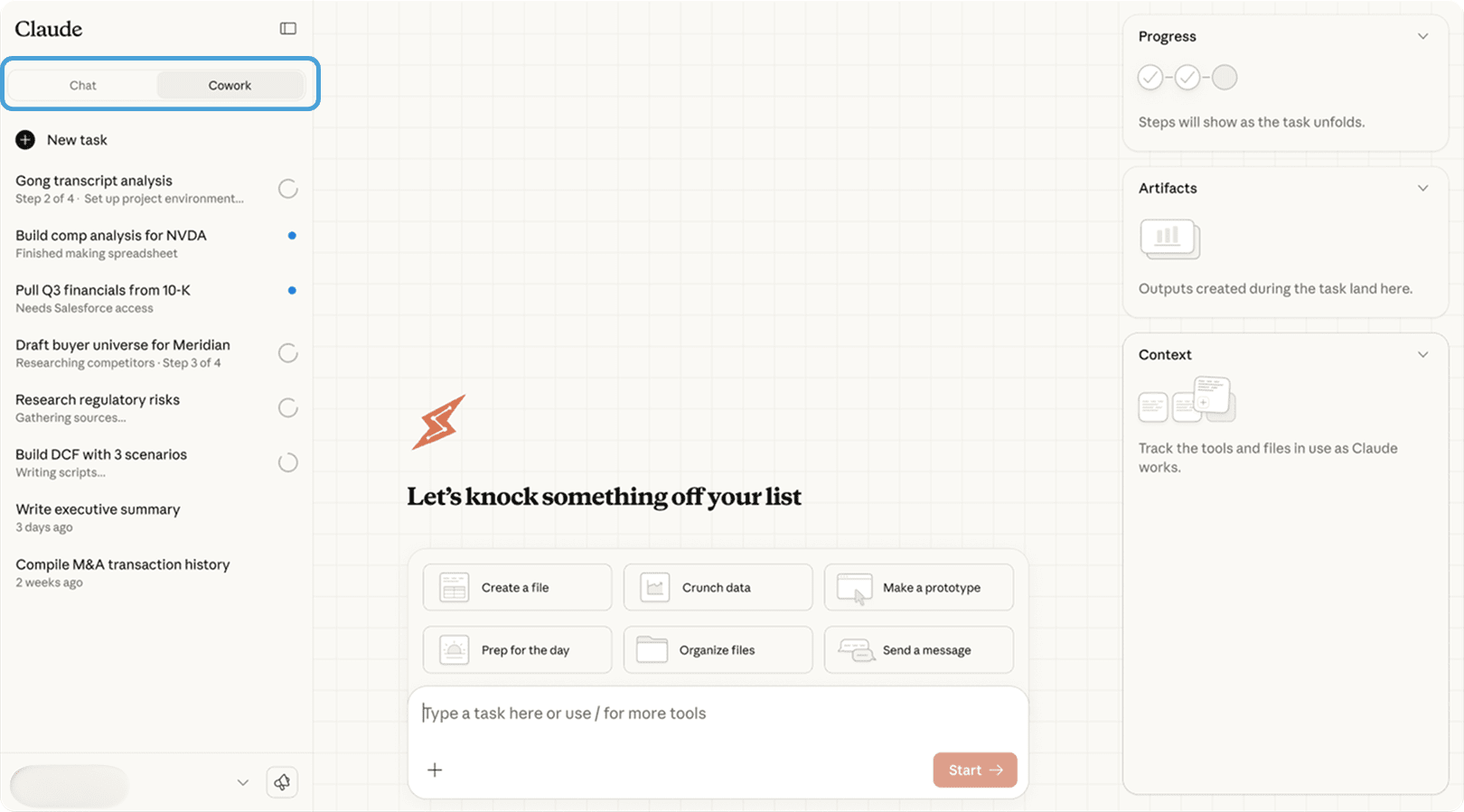
Click on the ‘Cowork’
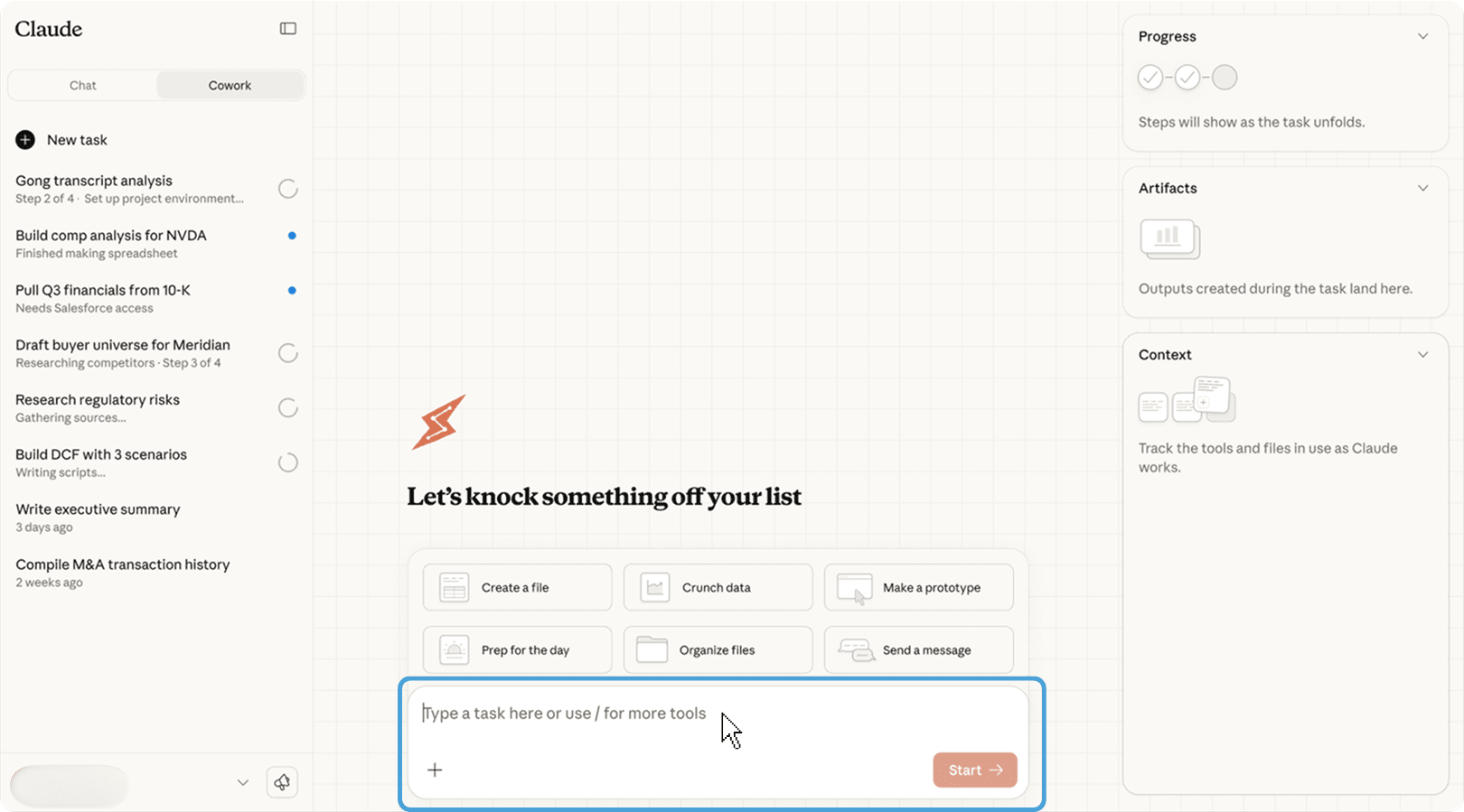
Enter your Task you want the Cowork to do
Tips for Better Results and More Productivity
Now, if you want to get most of the work from Claude Cowor,k then we recommend some method to do which will definitely bring the result and cut your time in half, and you will do the most
- You should set focus hours to reduce distractions around you
- Another is to run weekly retrospectives using AI insights
These small habits lead to big improvements because they will compound with time if you stay consistent and using it.
Don’t ignore notification settings and make sure to customize alerts to stay calm and focused
Conclusion
Claude Cowork turns remote work from a solo struggle into real team power. The numbers speak clearly: faster projects, stronger connections, and happier teams.
If you want better collaboration without tool overload, Claude Cowork is worth trying. Start with the free plan, see how your team works together, and upgrade when ready.
Future updates promise voice AI assistants and VR-based workspaces, making collaboration even more immersive.
Start your free trial today and share your team’s wins. The future of work is already here.
The direct and tough rival of Cowork is OpenAI Codex, which we discussed earlier here